

The most direct way to see your competitors' ads on Facebook and Instagram is to go straight to the source: the Meta Ad Library. It's a free, public database showing every ad currently running across Meta's platforms.
You simply type in a competitor's name, select their official page, and instantly see their active campaigns. This is the fastest way to understand their messaging, offers, and creative strategies.
Find Your First Competitor Ad in Five Minutes
Competitive research can seem daunting, but your first win is just a few clicks away. For SaaS founders, the Meta Ad Library is the perfect tool for quick reconnaissance. The goal is to get initial data points fast.
We aren't aiming for a deep analysis yet. The goal is simple: confirm a competitor is running ads and get a feel for their approach. It’s an easy piece of intel that builds momentum for deeper research.
A No-Nonsense Walkthrough
Let's get straight to it. This process is about speed and efficiency.
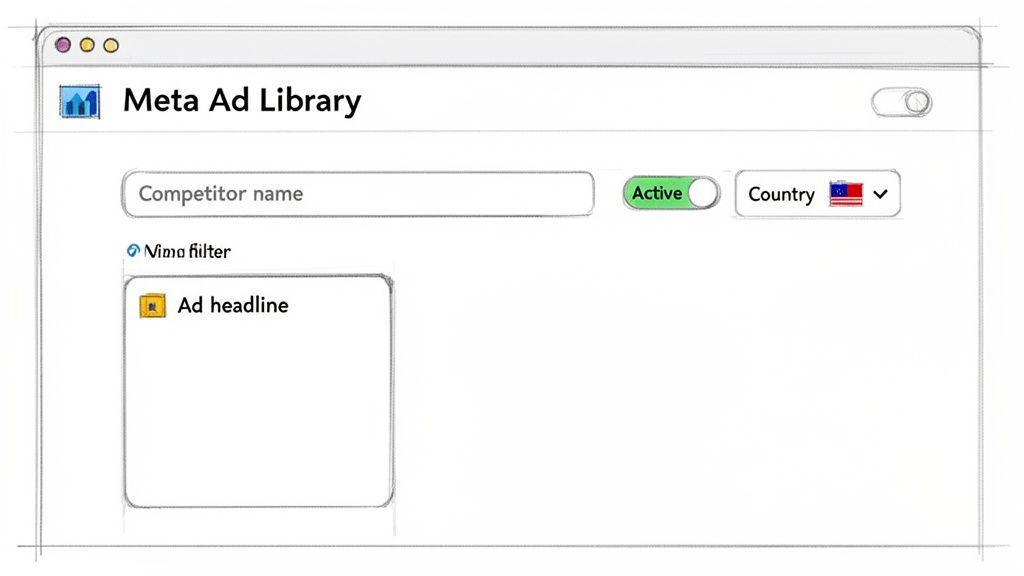
First, go to the main search bar and start typing the name of a competitor. A dropdown of advertiser pages will appear—make sure you select the right one. This is the most crucial step.
After selecting the advertiser, the library shows you everything by default—both active and inactive ads. To make sense of it all, you need to apply a couple of key filters immediately.
This quick-start table makes it dead simple. Follow these steps, and you’ll be looking at your competitor's ads in no time.
Quick Guide to Your First Meta Ad Library Search
Follow these core steps to immediately find a competitor's active Facebook ads without getting overwhelmed.
| Action | Why It Matters | Example |
|---|---|---|
| Search by Advertiser Name | This is your starting point. You must select the correct official page to see their ads. | Type "Asana" and select their main company page from the dropdown list. |
| Set Country to Your Target | A competitor might run different ads in different regions. You only care about what your target audience sees. | Select the United States to see what a major market is being shown. |
| Filter by "Active Ads" | This is the crucial move. It hides old, paused, or completed campaigns so you only see what they’re spending money on right now. | An ad that has been active for a long time is often a strong indicator of a winning campaign. Pay attention to the "Started running on" date. |
This table covers the essentials. Once you’ve done this, you’ll have a clean, actionable view of what your competitor is pushing to the market today.
What You'll See (And Why It Matters)
With these two simple filters—location and ad status—applied, you’ve cut through 90% of the noise.
Your screen now shows a focused view of your competitor’s current advertising strategy. You can immediately see:
- The ad creative they’re using (images, carousels, or videos).
- Their exact ad copy, headlines, and calls-to-action.
- The launch date for each ad, which hints at its performance.
In just five minutes, you've gone from zero to having a clear snapshot of a competitor's live ad strategy. You can see the value propositions they're testing, the pain points they're hitting, and the visual style they believe will win customers.
Mastering the Meta Ad Library for Deeper Insights
Going beyond a quick search is how you truly understand a competitor's strategy, not just their ads. Thanks to transparency initiatives, the Meta Ad Library is more than a simple archive; it's a goldmine of strategic intelligence. When you learn to use its advanced features, you can uncover competitors you didn't even know you had and pinpoint their major campaign launches.
This deeper dive completely changes how you find competitor Facebook ads. You're no longer just looking—you're interpreting data to understand the story behind their advertising.
Uncovering Competitors with Keyword Searches
Here’s a pro tip: sometimes your biggest competition isn't who you think. Instead of searching by a known advertiser's name, try searching for keywords related to your SaaS solution. It's a surprisingly effective way to find companies that were off your radar.
For example, if you're building a project management tool, searching for terms like "task management" or "team collaboration" will pull up every advertiser spending money on those concepts. You might discover a niche player with a brilliant marketing angle you'd never considered.
This method flips the script. You aren't just validating your idea against the usual suspects; you're letting the ad market show you who is actively paying to solve the same problem.
Using Filters to Decode Strategy
The default search is a good start, but the real magic is in the filters. This is where you slice and dice data to reveal strategic patterns. Think of the filter panel as your control center for competitive intelligence.
Here are the filters I find most revealing:
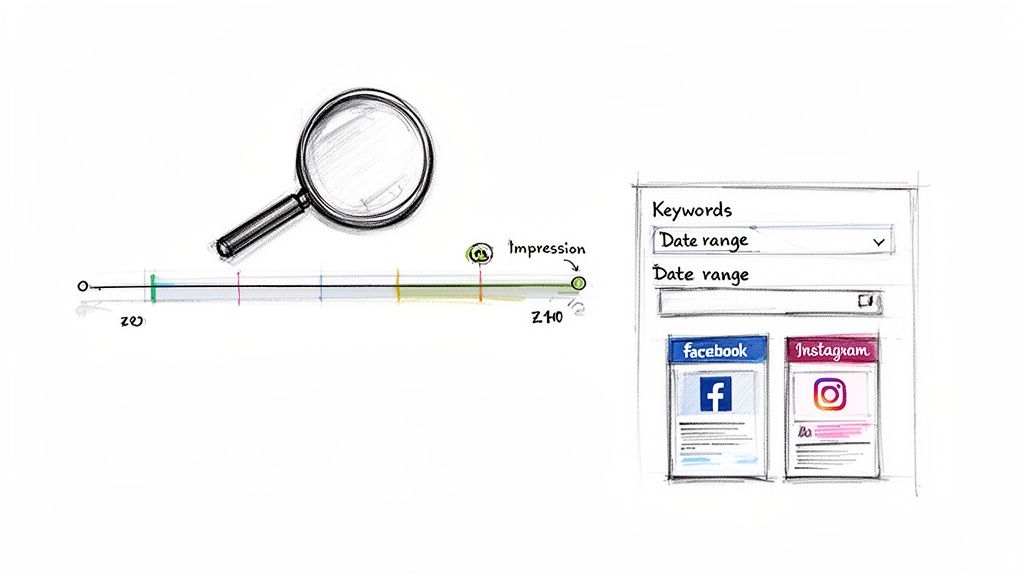
- Date Range Filters: Ever wonder what a competitor ran for Black Friday last year? Just set a custom date range. This is perfect for spotting seasonal strategies and their promotional timing.
- Platform Filters: Are they pouring money into Instagram Stories or sticking to Facebook feed ads? Filtering by platform (Facebook, Instagram, Messenger) shows you exactly where they believe their audience lives online. A heavy investment in one platform over another is a massive strategic clue.
- Media Type Filters: Use this to zero in on different creative formats. Isolating their video ads, for instance, tells you how they approach storytelling or product demos.
A competitor hammering Instagram Reels with video ads but only using static images on the Facebook feed is a dead giveaway. It signals a mature, well-funded advertising operation that tailors creative to each platform's native experience.
Interpreting Impression Data and Ad Variations
While the Ad Library doesn't always show performance metrics, you can sometimes find "Impressions" data for ads related to social issues or politics, giving you a rare glimpse into an ad's actual reach.
What's even more useful is looking for ad variations. When you see a company running dozens of slightly different versions of the same ad—tweaking the headline, image, or call-to-action—it’s a clear signal they are A/B testing. This means they're serious about optimizing their campaigns. You get to see exactly what they're testing, which is free research for your own campaigns.
It's fascinating how the public availability of this data, largely pushed by EU laws from 2021, has reshaped how founders validate ideas. With social media users projected to hit 5.85 billion by 2027, platforms like Facebook and Instagram have become the primary battleground for SaaS marketing.
For founders, a smarter way to use this data is through dedicated tools. You can see how an enhanced ad library can automatically track competitors and surface validated SaaS opportunities, saving you hours of manual digging.
Using Ad Longevity to Validate Your SaaS Idea
Most Facebook ads are experiments, and most of them fail. The key to good competitive research isn't just finding ads, it's finding the ones that stick around. This is where ad longevity becomes your best friend for spotting a genuinely profitable market.
An ad that runs for a week is just a test. But an ad that’s been running for over 90 days? That’s not an experiment—it's a proven cash machine. When you learn to spot these long-running ads, you can zero in on business models that are already making money.
Why Old Ads Are Your Best Clue
Think of every ad as being thrown into the fire. The Meta algorithm is brutal. It quickly kills off ads that don't get clicks or conversions because they aren't making Meta (or the advertiser) money. An ad that survives for months is a huge signal that something is working.
A long-running ad tells you a few critical things:
- It’s Making Money: No founder keeps pumping cash into a campaign that's losing it. If an ad has been active for a while, it likely has a positive ROI.
- The Message Works: The headline, copy, and creative have been tested and proven to connect with an audience.
- They've Found Product-Market Fit: The ad is turning viewers into customers. This means the product solves a real problem for people willing to pay for a solution.
By focusing on these "survivor" ads, you cut through the noise. You're left with campaigns that have been validated with real-world dollars.
How to Find Survivor Ads in the Ad Library
Spotting these marathon campaigns requires a simple system inside the Meta Ad Library. You’re not just looking at what’s active today; you’re digging for what has stayed active over time.
It's pretty simple. Search for your competitor. Once their ads load, immediately sort the results by the "Started running on" date. This flips the view, putting the oldest active campaigns right at the top.
My advice? Ignore everything launched in the last 30 days. The real gold is in the ads that have been running for three, six, or even twelve months.
An ad that has been active for more than 90 days is a powerful validation signal. It suggests the advertiser has found a profitable combination of audience, creative, and offer, turning their ad spend into a reliable customer acquisition channel.
This approach lets you skip fleeting tests and get straight to the core of a competitor's winning strategy. An ad from last year that's still live today is infinitely more valuable than a brand-new one.
Ad Longevity as a Product Validation Signal
This table shows how an ad's runtime correlates with the strength of the validation signal for a SaaS idea.
| Ad Running Time | Validation Signal | What It Tells You |
|---|---|---|
| Less than 30 days | Weak Signal (Experiment) | The competitor is likely testing new messaging, audiences, or creative. The ad could be turned off tomorrow. Avoid drawing firm conclusions. |
| 30 to 90 days | Medium Signal (Optimization) | The campaign is showing positive signs and is likely profitable, but the competitor may still be tweaking it. This is a good sign the core idea is sound. |
| 90+ days | Strong Signal (Proven Winner) | This ad is a reliable customer acquisition machine. The messaging, offer, and target audience are validated. This is a clear sign of a profitable market need. |
Seeing an ad in that 90+ day bucket is a clear sign that you're looking at a market with real, paying demand.
Decoding the Message in a Long-Running Ad
Once you've identified a few survivor ads, it's time to pull them apart. These ads are a blueprint for a successful go-to-market strategy. Don't just glance at the creative; analyze the deeper components.
Ask yourself these questions:
- What’s the core promise? Are they promising to save time, cut costs, or boost revenue? The value proposition in a long-running ad is one that has hit a nerve with customers.
- Who are they talking to? Look at the language, imagery, and pain points. An ad for a developer tool will look and sound different from one for a marketing automation platform. The ad's content reflects their ideal customer.
- What’s the specific offer? Are they pushing a free trial, a product demo, or a webinar? The call-to-action reveals a key part of their sales funnel.
For example, if a competitor has been running the exact same video testimonial ad for six months straight, that’s a massive clue. It tells you that social proof is incredibly effective for their audience and that one particular customer story is their most powerful marketing tool. That's a huge lesson you can apply to your own strategy without spending a dollar on testing.
Connecting Ad Spend to Competitor Revenue
Finding a winning ad is a great start, but it's only half the story. The real question is, how much money is that ad making? Learning to find competitor Facebook ads gets you in the door, but linking ad spend to real revenue is where the strategic magic happens.
This is where you put on your financial detective hat. You don't need their private accounting books. You can use the sheer volume of their active ads—data hiding in plain sight—to build a solid estimate of their financial commitment and likely returns.
Using Ad Volume as a Proxy for Ad Spend
The number of active ads a company runs is a reliable public indicator of their monthly ad budget. A company with one or two ads is playing a different game than one managing over 50 creatives. Each ad costs money to create and manage, so a higher ad count almost always points to a bigger budget.
For a SaaS founder, this is a goldmine. In our 2025 analysis of 47,392 ads from 1,247 brands, we found a direct link between ad count and budget.
- 1-5 active ads: Likely spending $1,000-5,000/month.
- 6-15 active ads: Probably in the $5,000-20,000/month range.
- 16-30 active ads: A serious player budgeting $20,000-50,000/month.
- 31+ active ads: Large-scale operation, with budgets easily exceeding $50,000/month.
These benchmarks are a solid proxy for SaaS profitability, especially in markets like the US, UK, and EU.
A competitor with over 30 active ads isn't just "testing" Meta ads. They have a dedicated team or agency, a significant budget, and a system for turning clicks into customers. This is a massive green flag that they've found a profitable and scalable acquisition channel.
The longevity of their ads adds another layer to this story, helping you separate short-term tests from long-term, money-making campaigns.
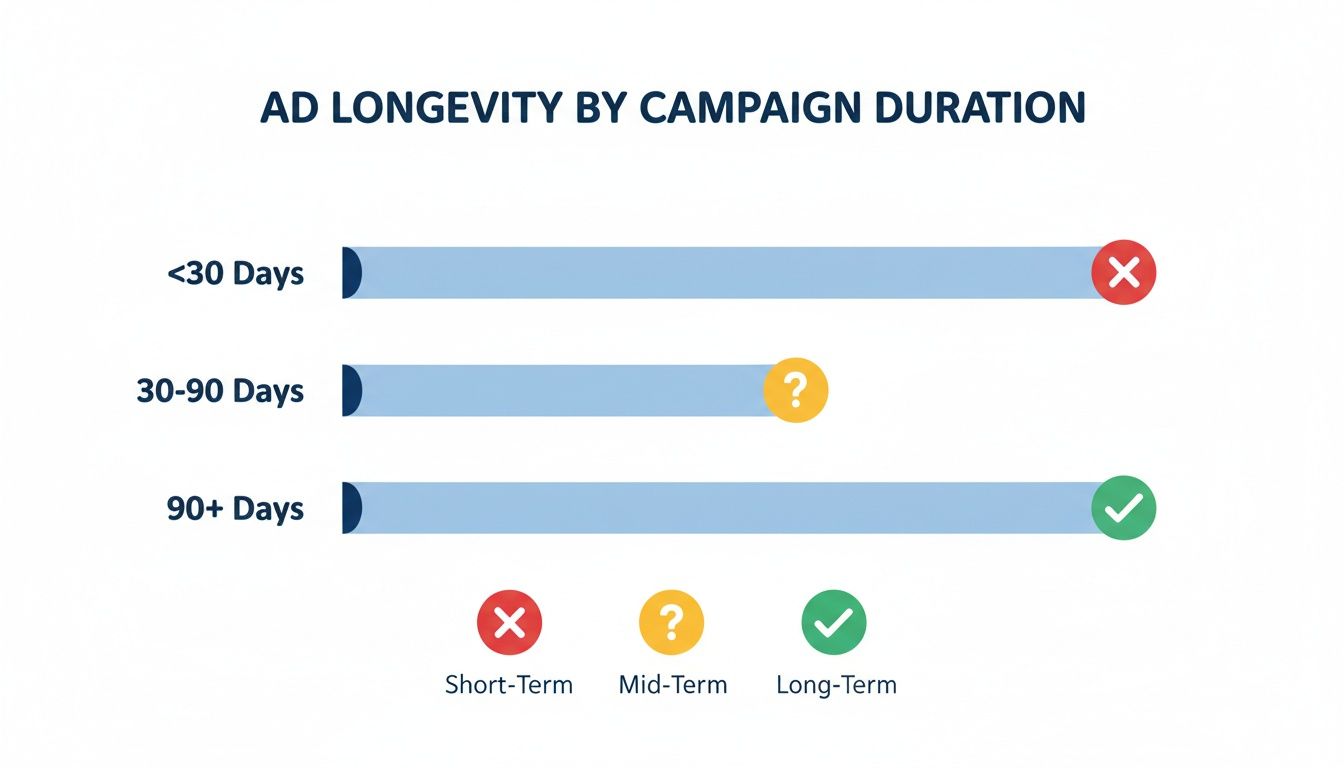
As you can see, ads running for 90+ days are your strongest signal of profitability. They're a proven investment, not just a hopeful experiment.
Reverse-Engineering Their Entire Sales Funnel
Estimating ad spend is a fantastic first step, but to really understand their business, you have to follow the money. This means clicking on their ads and walking through their entire sales funnel yourself.
Don't just observe—become the customer. Click the call-to-action and take detailed notes.
- What's the Landing Page Like? Is it a long-form sales page, a simple lead capture form, or a direct checkout? The design and copy reveal their goal.
- What's the Offer and Price? Document what they're selling and for how much. Note the pricing tiers, any discounts, and the core value proposition they're pushing.
- How Do They Follow Up? Sign up for their trial or newsletter. Pay close attention to the email sequences you receive. This shows you exactly how they nurture leads.
By going through this process, you are mapping their customer acquisition machine. You'll see precisely how they convert traffic into revenue. For a deeper dive, check out our guide on how to estimate SaaS revenue for more models.
Building a Simple Revenue Estimation Model
Now, let's put it all together. You can combine your ad spend estimate with your funnel analysis to build a simple, back-of-the-napkin revenue model. It won't be perfect, but it will be directionally correct.
Here’s a basic framework:
- Estimate Monthly Ad Spend: Use the ad volume benchmarks. If your competitor has 40 active ads, it's safe to assume they spend $50,000+ per month.
- Identify the Product Price: From their landing page, you found their product costs $99/month.
- Calculate Breakeven Customers: To cover a $50,000 ad spend, they need to acquire roughly 505 new customers each month ($50,000 / $99).
This simple math is incredibly powerful. It grounds your research in reality and helps validate the market opportunity. If acquiring 500+ customers a month in this niche seems plausible, you’ve found a strong signal of a large and profitable market. You’ve successfully turned ad snooping into a data-backed blueprint.
Automating Your Research with Ad Intelligence Tools
Manually digging through the Meta Ad Library is a fantastic starting point. You can uncover winning ads and get a feel for ad spend, but it’s an incredibly slow process that leaves gaps in your knowledge.
To get a true competitive edge, you need to bring in automation. Ad intelligence platforms are built to do the heavy lifting, connecting the dots between an ad, the company, and its potential revenue. They turn a manual grind into an efficient discovery engine.
The Hidden Limits of Doing It All By Hand
The Ad Library is a gift, but it has serious blind spots that can halt your validation process. As you try to scale your research, you'll hit these roadblocks fast.
The biggest headache is the lack of a direct connection. You might find a great ad that clicks to a landing page like try.supermetrics.com, but the Ad Library won't tell you this ad belongs to Supermetrics. That detective work is all on you.
Here are a few key limitations you'll run into:
- No Company-to-Ad Mapping: The library won’t automatically link a landing page URL back to a specific company. You must investigate every single one by hand.
- No Revenue Modeling: There's no way to estimate how much revenue a campaign is generating. You can guess based on ad volume, but it's still a guess.
- Painfully Slow Filtering: Finding inspiring SaaS ads requires wading through thousands of e-commerce, info-product, and agency ads. The filtering is manual and repetitive.
These limitations mean that while you can find competitor Facebook ads manually, validating a single SaaS idea can stretch from weeks into months of tedious clicking.
From Manual Grind to Automated Insight
This is where a specialized tool changes the game. Instead of you spending hours connecting dots, an ad intelligence platform does it for you in seconds.
Let’s look at a quick "before and after."
The Manual Way (Before):
You spend an afternoon scrolling the Ad Library, searching for "email marketing." You find ten interesting ads, click through to each landing page, and manually search for the company behind each one. Then you have to guess their ad spend. By day's end, you have a messy spreadsheet and a vague sense of the market.
The Automated Way (After):
You log into an ad intelligence platform like Proven SaaS. You apply a filter for "SaaS" companies in the "Marketing" category. The tool instantly shows you ads from validated SaaS businesses, complete with estimated monthly ad spend and revenue figures attached. You've done the same work in about five minutes.
Using an automated tool can cut your idea validation time from months down to days. It gives you AI-powered categorization, spend tracking, and revenue estimates, letting you focus on strategy instead of manual data entry.
Here’s a glimpse of how a tool like Proven SaaS presents validated SaaS opportunities, saving you from all that manual labor.
This dashboard immediately highlights profitable niches and the companies succeeding in them—a task that would otherwise take days of painstaking research.
How AI-Powered Tools Solve the Core Problems
Specialized ad intelligence tools aren't just faster; they give you data points the Ad Library can't. They fix the core limitations of manual research by layering AI and automation on top of Meta's public data.
For instance, a platform like Proven SaaS uses AI to scrape the landing page of every ad it discovers. It then categorizes the business, identifying it as SaaS, e-commerce, or something else. This means you only see relevant opportunities.
This process builds a much richer dataset, including:
- AI-Powered Categorization: Automatically filter out noise and see ads only from SaaS companies.
- Spend and Revenue Estimates: Turn a vague guess into an actionable metric with data-backed estimates for monthly ad spend and revenue.
- Growth Trend Signals: See if a company is ramping up or pulling back ad spend over time, a powerful signal of market momentum.
These features completely transform how you find competitor Facebook ads. You can shift from tedious data gathering to high-level strategic analysis. If you're curious, explore a curated list of the best Facebook ad spy tools for SaaS to see how different platforms tackle these challenges.
Ultimately, automation gives you an unfair advantage. While others are stuck in spreadsheets, you can identify, analyze, and validate profitable SaaS ideas in a fraction of the time.
Common Questions About Finding Competitor Ads
Once you start digging into competitor ads, a few questions always come up. Let's walk through the most common ones so you can move forward with confidence.
Can I See Exactly How Much My Competitors Spend on Ads?
Not exactly, and that's okay. Meta won't show you a direct receipt for your competitor's ad spend, but you can get surprisingly close with smart analysis. It's more about reading the signs than getting a precise number.
Think of it this way: if a company consistently runs 30+ different ads, and many have been active for over 90 days, you can be certain they're spending a significant amount—well into the $50,000+ per month range. That longevity is the real tell. It signals they've found a profitable system, which is a far more valuable insight than knowing their exact daily budget.
Is It Legal to Snoop on Competitor Facebook Ads?
Absolutely. It is 100% legal and totally ethical. The Meta Ad Library was built for the express purpose of transparency. You're simply looking at public information that Meta has made available to everyone.
The important thing here is to adapt, not copy. Use what you find to understand what messages are working in your market, not to lift their copy or creative. Your goal is inspiration and strategy, not imitation, which could get you into copyright trouble.
What If My Competitors Aren't Running Any Ads?
This happens more often than you'd think, and it's valuable information on its own. If you come up empty, it could point to a few different realities:
- Paid ads might not be a viable channel for this niche. It's possible they've tried and failed, which is a good warning sign.
- They're winning somewhere else. Their focus might be on SEO, content marketing, partnerships, or a direct sales team.
- You've stumbled upon an untapped opportunity. You could be the first to figure out paid acquisition in your space, giving you a huge first-mover advantage.
If your direct competitors aren't advertising, widen your net. Look at "aspirational" companies or businesses in a similar industry that serve the same type of customer. Their ad strategies can still provide a fantastic playbook.
How Often Should I Check My Competitors' Ads?
You don't need to live in the Ad Library, but you should be consistent. A quick weekly review is the perfect rhythm.
The best way to stick with it is to put a recurring 30-minute block on your calendar—perhaps every Monday morning—to check in on your top three to five competitors. This simple habit is enough to catch new campaigns, notice when they kill underperforming ads, and see which ones become long-term winners.
Ready to stop guessing and start validating? Proven SaaS automates this entire process, turning public ad data into actionable revenue insights. Discover profitable SaaS ideas with market proof at https://proven-saas.com.
Build SaaS That's
Already Proven.
14,500+ SaaS with real revenue, ads & tech stacks.
Skip the guesswork. Build what works.
Trusted by 1,800+ founders


